
You know the loop you always run. Thataway is for the run you haven’t done yet: a new trail, a town you’re visiting, or the hill you keep meaning to try.
Thataway
“Where’s the good running round here?” Thataway.
“Left or right at the fork?” Thataway.
New town, new trails. Sketch a loop on your iPhone and Thataway turns it into a route along the paths and tracks nearby. Out on the run, your Apple Watch taps your wrist at every turn and points you thataway.
Requires iOS 27 or later; the Watch app requires watchOS 26 or later. No account, no ads, no tracking.
Plan it on iPhone.
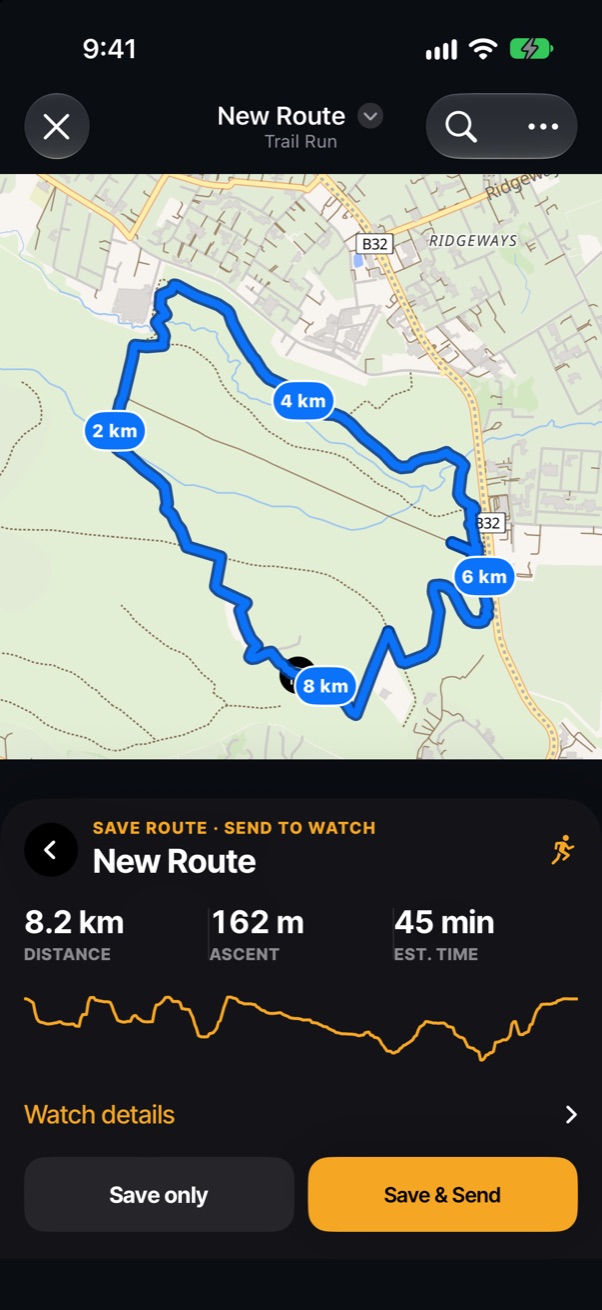
Tap where you want to go and Thataway works out a route along real roads, tracks and footpaths. Know a way the map doesn’t? Draw that stretch by hand.
Before you save, you see the distance, the total climb, an estimated time and the elevation profile for the whole route. Then send it to your Watch with one tap.
- Routes that snap to trails, with kilometre markers along the way
- Elevation and climbs for every route, from terrain data
- Routing for trail runs, road runs, walks and hikes
- Maps and turn directions copied to the Watch for offline use
Turn by turn on your wrist.
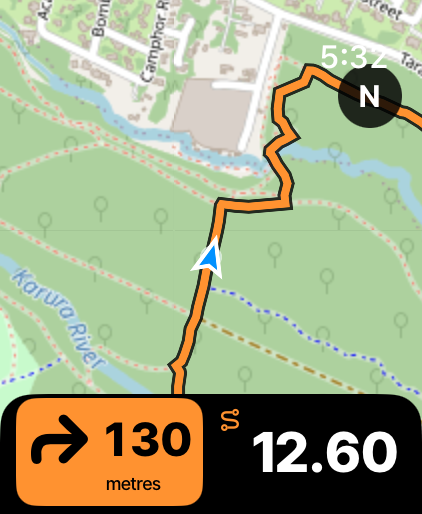
The Watch shows your route on a real map, where you are on it, and the next turn with the distance counting down. It taps your wrist when the turn is close, so you can keep your eyes on the trail.
The map and directions travel with the route, so they keep working with no signal and no phone.
- Next turn and distance, always on screen
- A tap on the wrist before each turn
- Spoken directions through your headphones, with street names if you download a voice
- Your distance alongside, without leaving the map
Know what the hill has left.
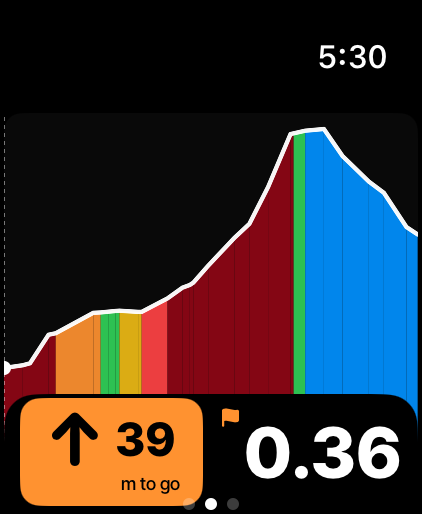
Swipe to the climb page and the route’s elevation fills the screen, coloured by how steep each stretch is. As you reach a climb, it zooms in to show how much height is left and how far it is to the top.
Tap the numbers to switch between grade, heart rate, time to the top and the distance to the next climb.
- Height to go and distance to the top of the climb you’re on
- Colour from green to dark red as the gradient rises
- Turn the Digital Crown to zoom the profile
Every number you run by.
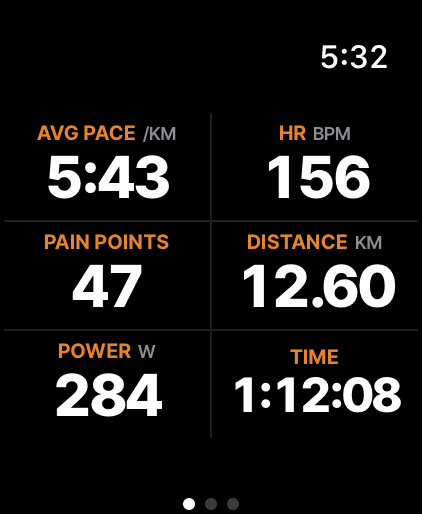
Pace, heart rate, distance, running power, time and Pain Points, in big type you can read mid-stride. Turn the Digital Crown to see more fields or fewer. On a Watch with an Action button, press it to swap between the numbers and the map.
Each run is saved to Apple Health with its route, heart rate and power.
- Choose the fields that matter to you
- Running power and heart rate from the Watch
- Pain Points, a live training-load score
After the run.
Your running history
Thataway reads your runs from Apple Health, including ones recorded by other apps, and shows your weeks at a glance: distance, runs and training load.
Upload to Strava
Connect Strava and the runs you record with Thataway go to your Strava account a few minutes after you finish.
Pain Points that match TrainingPeaks
About 100 Pain Points is an hour at your threshold. Thataway suggests thresholds from your runs in Apple Health. If you use TrainingPeaks, copy your thresholds from its Zones settings and your scores can line up with the ones TrainingPeaks gives you.
From power, pace or heart rate
Pain Points use running power when the run has it, then pace, then heart rate, the same order TrainingPeaks uses for runs.
Private by design.
There is no account, advertising, analytics or tracking. Your runs stay on your devices and in Apple Health. To plan a route, the points you choose are sent to the Abokado Labs routing service, which doesn’t link them to you. Strava gets only the runs you record with Thataway, and only after you connect it.
Routes are guidance. Follow local rules, signs and closures, and use your own judgment about where it’s safe to run. Screens show sample routes in Karura Forest and on the Ngong Hills, Nairobi.